
Posted inTroubleshooting and Support


Posted inFile Systems
What Are File Extensions and How to Show File Extensions in Windows
Learn what file extensions are, how to show file extensions, and which programs open them on Windows and Mac. This guide covers video, audio, image, text, install, and compressed files—helping you manage your files effectively and confidently.

Posted inSoftware Guides
Using TDSSKiller: A Comprehensive Guide
Learn how to use TDSSKiller, a powerful rootkit removal tool by Kaspersky, with detailed instructions for both command line and graphical user interface. Discover why TDSSKiller is recommended for detecting and removing malware, and how to perform customized scans to keep your system safe.
Posted inSoftware Guides
How to Use Your Antivirus for Maximum Protection
Learn how to use your antivirus software for maximum protection with this comprehensive guide. Discover best practices, advanced settings, and step-by-step instructions to keep your computer safe from malware and cyber threats.

Posted inTroubleshooting and Support
Virus Damaged Files – Try These Post-Virus Repair Tools
Learn how to repair virus-damaged files using tools like Microsoft Fix It, System File Checker, Check Disk, and a Windows Boot Disc. This guide provides step-by-step instructions to restore your system effectively.

Posted inProductivity and Efficiency
Mastering Your Computer Mouse: Advanced Tips for Beginners
Learn essential mouse operations with these beginner tutorials. Customize settings, use shortcuts, highlight text, drag and drop items, and copy and paste efficiently.
Posted inTroubleshooting and Support
Preventing Computer Viruses: Prevention is Better Than Cure
Learn how to prevent computer viruses and protect your PC with our comprehensive guide. Discover signs of infection, how to run virus scans, and tips for keeping your system safe.
Posted inHardware and PC Building
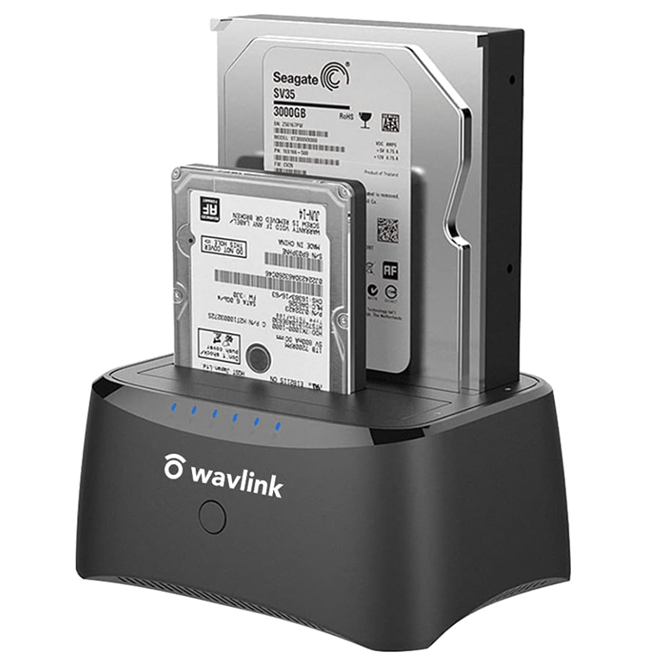
Hard Drive Docking Station Buying Guide
Looking to buy a hard drive docking station? Our comprehensive buying guide covers everything you need to know, including features, benefits, and how to choose the best hard drive dock for your needs. Learn about compatibility, dual bay options, and more.
Posted inFile Systems
What's The Difference Between MBR and BCD?
When dealing with boot issues or system configurations, understanding the roles of the Master Boot Record (MBR) and the Boot Configuration Data (BCD) is crucial. They might sound similar to the average computer user, but they serve different purposes in the boot process of a Windows operating system. Let’s break down their differences and functionalities to make them more understandable.