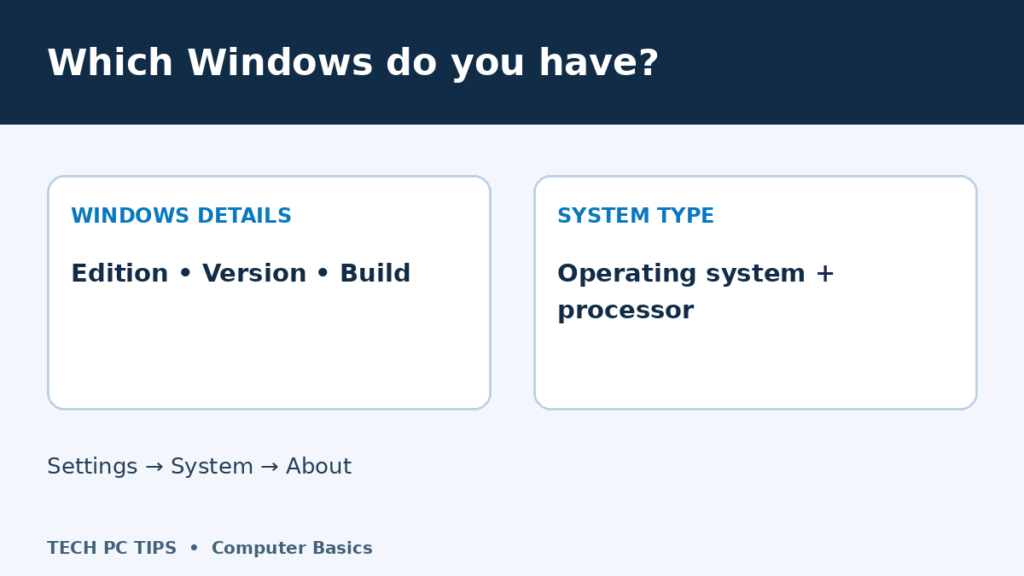

You go to download a program and it asks which version of Windows you have. Then it offers x64, ARM64 or 32-bit downloads. Suddenly a simple download has turned into a quiz. Here is where to find the details, and what each one actually tells you.
Find your Windows version in Settings
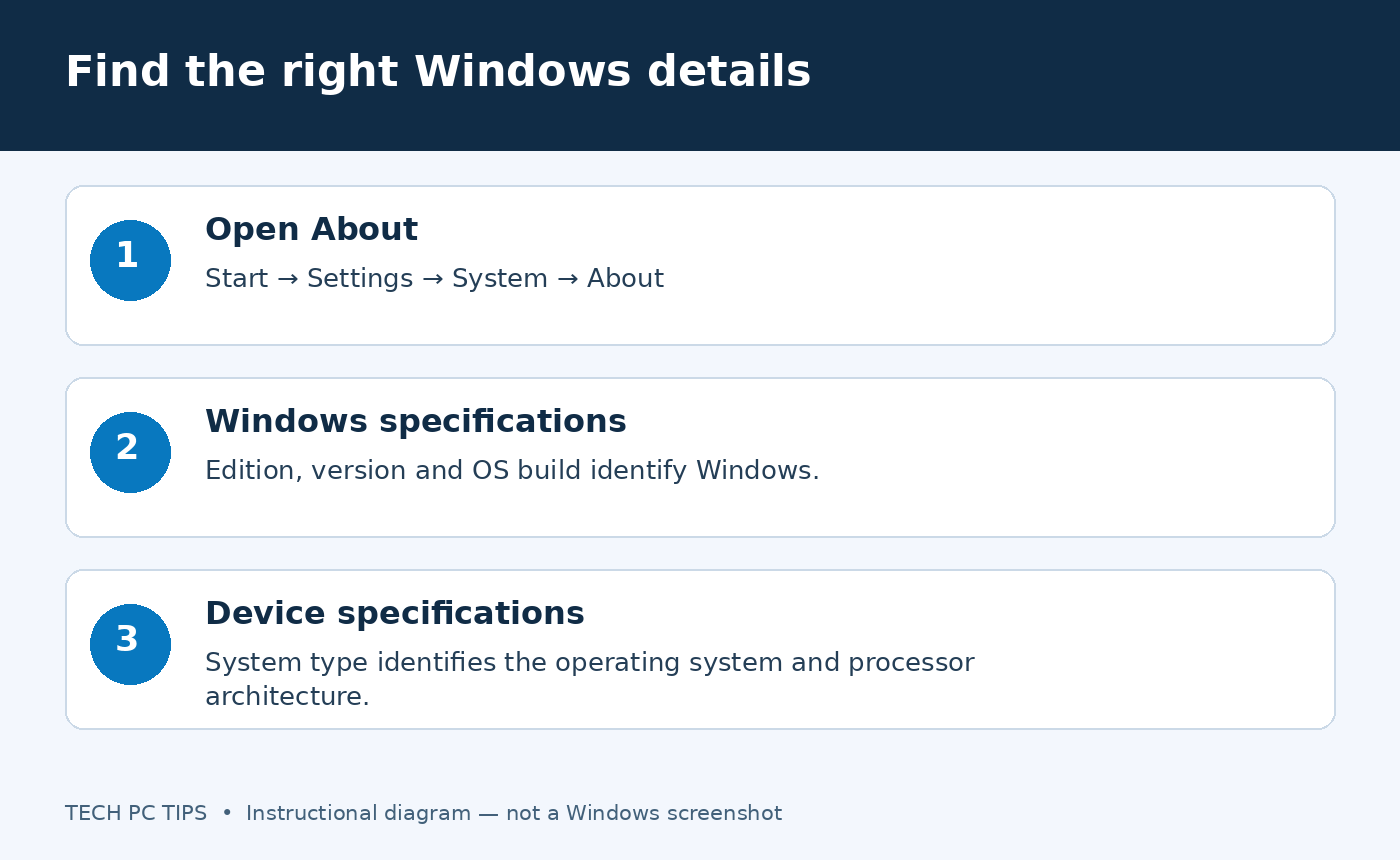
- Open Start, then Settings.
- Choose System, then About. You can also search Start for About your PC.
- Find Windows specifications. Note the edition, version and OS build.
- Find Device specifications. Note System type when choosing software or drivers.
The layout can vary slightly with Windows updates. The important labels are Windows specifications and System type. You can find these details on Windows 10 too; its Settings layout looks different.
Edition, version and build are different things
- Windows 11 or Windows 10: the Windows product generation.
- Edition: for example, Home or Pro. Some features depend on this.
- Version: the feature release installed on the device.
- OS build: a more precise software build, useful when investigating a particular fault.
If someone asks which Windows you use, “Windows 11 Home” is a useful start. If they are investigating an update problem, include the version and build as well. Do not assume you have the latest release simply because the desktop looks familiar.
A quick alternative: winver
Press Windows key + R, type winver, then press Enter. The About Windows window shows Windows version and build information. It is handy for a quick check, but use Settings → System → About for System type and device specifications.
What do 32-bit, x64 and ARM64 mean?
These labels matter for compatibility. They are not a simple ranking of how fast a computer is. The processor, memory, storage and the job you are doing also affect performance.
Read the complete System type entry. It can describe a 64-bit operating system with an x64-based processor, or identify an ARM-based processor. Both x64 and ARM64 can be 64-bit, but the software packages and drivers are not interchangeable just because “64” appears in the name.
Use the software maker’s compatibility instructions for your exact Windows and processor type. A driver must support the device, Windows version and architecture; do not guess based on a download’s size. Our device driver explanation covers what drivers do, and the software installation guide covers installation basics.
If you discover you are using Windows 10
Standard Windows 10 support ended on 14 October 2025. Check Microsoft’s current support and Extended Security Updates information before deciding what to do with that PC. Finding the version is a first step; it does not establish whether the hardware can upgrade.
What details should you share when asking for help?
Share the Windows edition, version, build and relevant System type text. Type those details rather than posting the whole About screen, which can include device names and identifiers. Add the exact error message and what you were doing when it appeared.
For more help navigating Settings, see Windows system settings and the Windows 11 beginner tutorial. Microsoft also explains where to find Windows device information.

Need you advice. I will be getting a 64bit processor system.
If i were to install XP 32bit OS, the system will run at 32bit standard? will be go faster since i am having 64bit processor? will i be able to run/intall 64bit application onto the 32bit xp OS?
If you are going to install 32bit Windows then you will need 32 bit software too…If you install 64 bit Windows it will run faster as that is what it is made for.
Nice article on 32 bit and 64 bit processors.
I often forget my home and office pc processor type and check before every install. So I wrote a simple vbscript to determine whether I have a 32 bit or a 64 bit windows. For you, here it is
http://www.ittybittytalks.com/do-i-have-32-or-64-bit-windows-xp.html
Looks good.. Nice little tool!
You should be using commentluv to comment when you have a website! Check this article out! http://wordpress-websitebuilder.com/wordpress-commentluv-plug-in-use-it-to-your-advantage/
Thank you for this. I love the internet. I have no idea, though, why Microsoft can’t answer this question for itself when I am downloading their software. Or why you would identify a 32 bit system with the number 86.
I’ve recently bought a Toshiba Satellite L650. During installation process I was prompted to choose between 32 bit and 64 bit. Because I wasn’t sure which one to choose, I chose 32 bit. Now that I’ve done some research, found out the laptop is capable of running 64bit (4G RAM). How can I change it to 64bit?
I guess you will have to install 64 bit Windows (Operating system) instead of the 32 bit OS you are using now. $$
Thank you from someone who also stumbled upon a Microsoft download that wanted the same information. IK was clueless, but typed in the question in Google and crossed my fingers. Your answer was perfect!
how can i change my computer from 32 bit to 64 bit
Just wanna correct this statement.
“If you have a 64 bit processor and a 64 bit operating system you will have to have 64-bit software applications like office programs, picture editors, and so on..”
If you have 64bit hardware and 64 bit OS, you can run 64bit & 32bit software.
Thanks.
Hello My name is Missae Limon. by mistake i erase the disk so i install a new operating system and my computer is slow now. i saw that i download a 32bit windows vista i think i should have a 64 in from of my computer it said. “AMD 64 Athlon” and i saw that it was a 64 bit is this wat is making my computer slow like a turtle. one more think i dont now if it is a 32 bit the operating system so please help
Please help
Hi there Missael
A bad install could make your computer slower. Also a downloaded version of Windows, is this from Microsoft? If not that could be the problem also…If you did have 64 bit installed on your computer previously and have installed 32 bit now you will notice the computer slow down but not like a turtle. 64 bit computers can have 32 bit OS software on them but they do not perform as fast as they possibly could.
is my processor a 32bit or 64 bit this is what it tells me.AMD Athlon ™ 64 X2 Dual Core Processor 4400+ 2.30 GHz
@Mitz:
yes i download the softwere from torrent i lost the cd and i was living in az but i move to mexico so i can really buy one here because they cost aloth here more them in us. may be that the problem. the one that i download is not working well my computer laggs it freze
processor – EM64T Family 6 Model 23stepping
10Genuine intel 2826
Plz tell me which OS to be install om my destop in Vista 32or 64 or xp 64 bit or 32 bit
On a Windows Defender Site for Updates it ask 32 or 64 Bit BUT it also ask AM or NIS what do these mean & How do you fund out?
What is the CommentLUV? I unchecked it.
Thanks.
Hi there Gary,
Since you are trying get updates from the Windows defender site I’m gathering that NIS stands for Norton Internet Security. I am not sure about the AM…
Comment Luv is for website owners to leave links to the articles. You do not need to use it if you do not have a website.
Great Info Man!
I am looking for xp from many days but could not find any usable info, but yours is awesome!
Thanks!
Hi
I have a question … If my laptop has 64bit operating system and I install a windows 32bit, what is will appear on the screen? That I have installed windows 32 bit or that my laptop is 64bit. The windows shows what kind of windows I installed or witch kind of operating system he has. I have 32 bit but everywhere I look the same laptop mike mine has 64, and when i check it it says 32 bit, or maybe is shows that because I´ve installed windows 32 bit on it?
Hi I have a question about what operation system I have.
For example i have lenovo t510 i7 4GB 32HDD and If i install 32 bit on 64 what will show? what type of system is installed or witch system is the laptop. Everywhere i look t510 is on 64 and i have on 32, so i want to install 64 bit , but i don´t know if is possible
Great crash course introduction. Now I just need to figure out a way so my grandmother can understand it (she doesn’t necessarily need to know how to see if it is 32 or 64 bit), I think I may try your method of just showing her some pics of what to do…or maybe I’ll just point her to your blog lol.
Thanks Sam
I just formatted my HD and reinstalled xp sp3…..whenever I am trying to install programs and download them form websites (ex skype, adobe reader) it keeps saying i have Linux!?? I am not being able to get around that. any help please??
I have Windows 7 Home Premium 64bit OS. I am trying to register a Garmin product, and its plug-in says it requires 32-bit OS, and 64bit will not be successful. I’ve contacted their support but have to wait “a bit” for a response there too. Anything I can do?
hi mitz, I BOUGHT a ibm think pad from a yard sale and it has a operating system on it and i can not login or do anything with can you help?
Hi Steve
Did you try to hit CRTL ALT DEL at the login screen..depends what OSystem you have…then type in administrator and leave the password section blank.
Some thinkpad and lenovo models have a security chip that locks the system before the bios can access any boot devices. If this is the case you cannot use the pc until you clear the bios security check. Even if you replace the system hard drive you cannot reload Windows if the bios won’t allow a boot. In this case it may be less expensive to get another notebook.
If your computer has a 64 bit processor you can install 64bit windows and other software…
If you have a 32bit processor you cannot install 64bit software…
If you have a 64 bit processor you can still use 32bit software.
hi. is it ok to change a 64 bit to 32 cuz thy didt to my loptop.thanks
Hi Fuoad
If you have a 64 bit operating system you can install a 32bit one instead. I am not sure why though.??
Hey Mitz,
Another great post!!! Are you using the 64bit v of Win7? We are having better success with it at work.
Scott
Hello Mitz
Nice post and thank you for sharing…
Your step by step procedure is very easy to follow and this will help a lot of people
our there who doesn’t know much about computers to get to know about these things.
Such an interesting topic. Keep on posting!
Reading your blog, Mitz, made me feel how grateful I am to have a Mac… LOL
A lot less problems, although switching from PC to Mac was a challenge in the beginning.
I have been through that hassle too Ana…My nephew bought a Mac and needed urgent help… Believe it or not I had an apple computer years ago when they had green writing on the screen…
nice thing i.e. x86 and amd64
Nice post, And I love that you are using commentluv. Good description on how to find out if you have an x86 or x64 OS. It’s a common question that I get asked on a regular basis.
Just bought a 32bit XP and upgraded it to 64bit after reading this. I heard upgrading to 64 bit wasn’t possible but you proved me wrong 😉
i use sony(vaio)laptop i3 processor 2 gb ram 320 gb hard drive can i use os x opareting system
My computer is 32bit and I was using Vista for years… A couple of hours ago I installed Win 7 Pro (32bit), not in properties it says that I have a 64bit computer!! WHAT A….
Interesting. I have never heard of this happening. Is the computer running ok?
It is running OK, but I could not install MS SQL, one of the components (it is name is something like …xxxWOW64) despite of its name is designed to run on 32bit systems. I got an error message saying “your computer is 64bit”….
Now I returned to Vista 🙂
Andrey
Your computer processor /chip= 64bit never 32 bit never will be relax. Processors are bolted on the motherboard only a miracle will alter them .
Well if you have a 64bit computer then you should have 64 bit os so you can get the best performance from your computer. There is no point getting 32bit software as 64bit is better. Pretty much everything is compatible with 64bit now.
I have a 64bit and the program for my class only runs with 32bit. I have even tried running the x86 version of ie8 that is installed and it does not work then either, so there is some validity to the request of how to go back to a 32bit from a 64bit. I have been having to borrow other people’s laptops to do my assignments which are 100% online, so it can be frustrating.
BTW, I could change type of processor in System Variables, but I did not know what to fill-in there.
I changed “64b” to “32b”, but probably it was a mistake, because next time the computer restarted, it put “64b” back.
Now on Vista I have it like this:
PROCESSOR_ARCHITECTURE = x86
Well, unfortunately, I did not try that because I did not know if what was the right setting 🙂
Nice tutorial Mitz 😀
My OS is currently a 32 bit one and I think there is another way to figure it out. I remember looking at my friend PC whose OS is 64bit and it has two different “Program Files” folders. Something looks like a “x86” folder. I don’t know if it’s an obvious sign of 64bit OS or not. Have you seen it?
how can i change operating system from 64 to 32 bit.
and is it possible to change it send your feedback on my id plz
and which is better 64 or 32?
Mine is OS 32bit and I am happy with it…
I’m currently using mac! Next month i’m planning to buy a win7 laptop for my child, this comparison and information between 32bit and 6bit truly amazing. Thank you very much
32-bit is antiquated, Move up to the 21st century if you get Windows home premium 7 64-bit it’s backwards compatible so you build run 32-bit programs and 64-bit programs so that your answer
How do you tell if there is no operating system?
Uh, dude, if you don’t have an operating system, you’ll know it. Namely by the black screen that comes up by saying that there is no operating system detected. If that has not happened, then you have an os. If you are using the computer, you have an os.
I recently bought a basic system, 500gb HD, 4 gigs ram, windows 7 home premium 32 bit on a 64 bit platform, Intel 2.8 processor. I run into the downloading choice of 32? or 64? Most 32 programs operate just dandy. Sometimes I am told, “sorry, we have detected a 64 bit system”, and they won’t download. This machine runs beautifully and I’m the major obstacle when it jams up. I use CCleaner, Puran Defrag, best I’ve ever used, MalwareBytesAntiMalware (free), free SuperAntiSpyware, Kaspersky AV 2012(paid), and free SpyWare Blaster. Nothing conflicts. All updated daily. I tried the newest and biggest SpyBot recently, and it jammed it all up. The older version does fine, however. I also use the free Returnil System Safe 2011 for it’s Virtual feature, which acts like a SandBoxie, which doesn’t want to work on this system. Why Windows allowed this 32/64 hybrid to be still confuses me. But, the price was right, and I trust Santa Rosa Computers. So, I haven’t offerd any eal insight, but nobody mentioned the existence of this option. Peace and clarity to you all, and, in the immortal words of Lenny Bruce, “You can’t get snot off a suede jacket”. Ratguard
earlier i was using vista,,, now I have Windows 7 64bit OS.
Sorry for my previous comment. Well this saved a lot of time. Some softwares have different download files for 32bit/64bit OS, and I always had to download both files and test them to see which one will work. I just followed your steps and figured out my OS is 32 bit thank you for sharing.
Now I understood the difference between 32 vs 64 bit version. time to check out my processor model 😉
I have a Compaq Presario CQ56-219WM and it recently died. I am not sure if my Windows 7 was 64 or 32. Is there anyway to tell? I was getting the errors: no operating system, no boot disk and also no hardrive when I tried to test it. I purchased a new hard drive and am getting ready to order recovery disk. Any advice would be greatly appreciated. I thought about making repair disks and trying them on the old hard drive but probably not much use huh? Thanks.
Thanks. This was really helpful. I’m in the process of downloading some architecture stuff and it asked me if my computer’s OS was 32 or 64, and I hadn’t known anything about it. Now i know that mine is 32, and can continue downlading this thing. Thanks a bunch. 🙂
Hi, my system is Windows XP (32-bit).
But I downloaded windows 7 Home Premium(64-bit)
now does it works in my computer….?
No it will not. You need 64 bit system to have 64 bit software.
I have Windows 7 home premium 64bit. I wanna know if 32bit programs Install faster on a 64bit operating system.
My OS is currently a 32 bit one and I think there is another way to figure it out. I remember looking at my friend PC whose OS is 64bit and it has two different “Program Files” folders.
I am trying to resurrect my son in laws’ acer aspire 5733, the Hard disk has failed(Chkdsk reports multiple problems on the b drive which contains the O.S. The label on the bottom tells me that the O.S. is Windows 7 Home Prem. In the Microsoft download centre there are downloads for the various versions of Windows 7 including a 32bit and a 64 bit version for the Home Premium versions. Since the system fails to boot, is there any way to tell which version is installed from the command prompt?
i have Lenovo g560 with p6200 Pentium processor with windows 7 home basic 32 bit is it possible to install 64 bit home premium in it
I have 64 bit, Lenevo Think Pad system, WINdows 7. How can I send a fax from my system? for example I want to send a document ( a letter, a CV or a spread sheet to a fax machine from my PC.
I have a Vista Home Premium os 32 but a 64 AMD processor. Just a note on your first or second step by going through control panel and system. Mine still says 64 bit OS. This confused me at times because i was pretty sure it was 32. But by going to all programs and accesories,system tools,system info it shows 32 bit os in there. So just a tip for those and who might try the other step first and be misled.Thanks for your tips
Thanks for letting me know..I completely forgot about how a 64 AMD would look!!!
Hi Mitz, Ok so I still remain confused. in my last comment I stated I had a 32 bit but in the Windows specs section on the PC it showed 64. I stated this because by doing your step in going through all programs process in there it showed 32 bit. I assumed this would show the proper OS bit. However,because i was still completely unceartain i went to HP support and entered my product and it states 64 bit OS. So i’m guessing I have a 64 bit OS but running the WOW64 bit program so that i trick the software to think im 32 bit? I am not the most knowledgeable in software or hardware but trying to learn. Thank you for your time and I wanted to add this because others are going to run into this making how to find your OS bit a bit tricky as it has been in my case.Your opinion in this would be appreciated.
These methods say my processor is 32 bit. But why does the sticker on my computer say AMD Athlon 64 processor? And why does it say the same thing in the system section of the control panel? What does 64 processor mean? I don’t get it, it’s missing the word “bit.”
my question is, what operating system do i have? how ever you have mentioned about what operating system uses my computer.That is no my question.your procedure to know an operating system is, after installation. But i asked that before installation.Meaning what operating system i do have in my hand with A CD/DVD? How to know it is X64 or 32 bit before i formatted any failure computer?
Hint:I have windows 7 installation DVD that i have borrowed from my friend.when i asked him what bit operating system is it? he said I don’t know! how to check it before instilled it to any computer?
Check the COA sticker on the outside of the computer.
I am getting the error message Missing Operating System. I cannot get on my computer at all. Is there a way to find what OS I am using so I can get a recovery disc? My computer did not come with one. It’s a Dell Inspiron 530. Thanks!
What about looking on the sticker COA (certificate of Authenticity) to see what it says. 🙂
I purchased a new computer with windows 7 and then I discovered that it would not accept installation of my Broderbund “print shop pro-publisher 2000” software.
After a lot of research and searching on the net I found that the reason was the software was designed for a 32 bit operating system and I now have a 64 bit system. TGhis leaves me in a big quandry because I cannot access any of the projects I have built that are in the computer.
QUESTION :If I download a free 32 bit system will both systems operate without
clashing? If they won’t what will happen when I install the 32 bit system?
I am an old man 85 years past and need a bity of help[ that will be greatly appreciated
can we change the vid no and pid number of a device (usb stick) as windows does not understand which driver to load or device not certified with windows.
i have acer aspire 5738 32 bit. how can i install 64-bit operating os from vmware.
thank you.
Paul
You need a 64 bit system to install 64 bit software.